
Central Bank Digital Currency (CBDC) Wallets: How to Set One Up (Step-by-Step 2026)
Retail consumers, digital currency enthusiasts, cross-border payment users, and investors tracking central bank digital currency adoption.

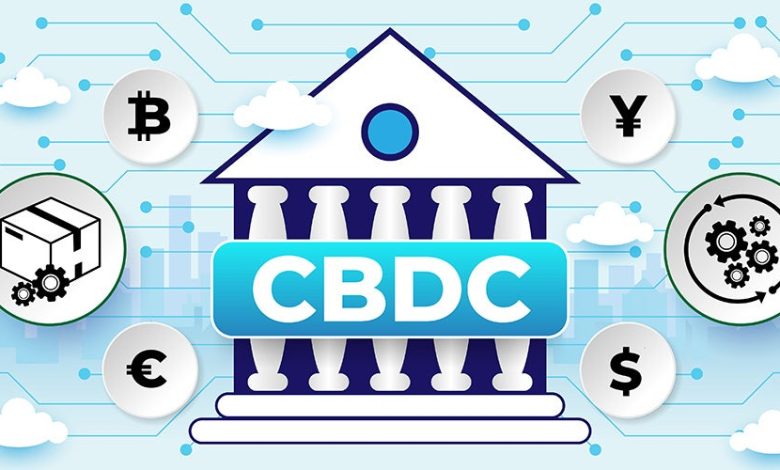
Your government is very likely building a digital version of its currency. It might already be live.
Central Bank Digital Currencies — commonly called CBDCs — are digital forms of a country’s fiat money, issued and backed by the central bank. Unlike cryptocurrencies (Bitcoin, Ethereum) which are decentralized and volatile, CBDCs are centralized, stable, and carry the full faith and credit of the issuing government.
As of 2026, over 130 countries, representing more than 98% of global GDP, are exploring CBDCs. Several have already launched fully operational digital currencies:




-
Nigeria: eNaira (launched 2021)
-
Bahamas: Sand Dollar (launched 2020)
-
China: Digital yuan / e-CNY (pilot launched 2020, expanded 2023–2026)
-
Jamaica: JAM-DEX (launched 2022)
-
Eastern Caribbean Currency Union: DCash (launched 2021)
The digital euro is in preparation (expected pilot expansion in 2026–2027). Other major economies — including the United States, United Kingdom, Japan, and India — are in advanced research or pilot phases.
This guide walks you through what a CBDC wallet is, how to set one up using the digital yuan as a working example, and what you need to know before participating in any CBDC program.
Part 1: What Is a CBDC Wallet?
A CBDC wallet is a digital tool — typically a mobile app or a physical card — that allows you to hold, send, and receive central bank digital currency.
Think of it as a digital version of your physical wallet. Instead of holding paper banknotes and metal coins, it holds digital tokens issued by your central bank. And instead of handing cash to a merchant, you tap your phone or scan a QR code.
How a CBDC Wallet Differs from Other Digital Wallets
| Feature | CBDC Wallet | Cryptocurrency Wallet (e.g., Bitcoin) | Commercial Bank App | PayPal / Venmo |
|---|---|---|---|---|
| Issuer | Central bank | Decentralized network | Commercial bank | Private company |
| Backed by | Full faith of government | None (market demand) | Deposit insurance (e.g., FDIC) | Company assets |
| Value stability | Stable (1:1 with physical currency) | Volatile | Stable (1:1) | Stable (1:1) |
| Interest earned | Usually none | Varies (staking, lending) | Often yes (savings accounts) | No |
| Privacy level | Varies by jurisdiction | Pseudonymous (varies) | Bank knows transactions | Company knows transactions |
| Offline payments | Possible (some designs) | No | No | No |
Key takeaway: A CBDC wallet is not an investment. It is a payments tool — like cash, but digital.
Part 2: The Most Advanced Example — China’s Digital Yuan (e-CNY)
Because China’s digital yuan is the world’s most advanced and widely deployed CBDC (as of 2026), we will use it as the step-by-step example. The process for other CBDCs (eNaira, Sand Dollar, JAM-DEX) is broadly similar, though specific app names and requirements vary.
What Is the Digital Yuan (e-CNY)?
The digital yuan — officially called e-CNY (Digital Currency Electronic Payment) — is China’s central bank digital currency, issued by the People’s Bank of China (PBOC). It is designed to replace some physical cash in circulation, not to replace commercial bank deposits.
Key characteristics (as of 2026):
-
Value is 1:1 with physical renminbi (RMB)
-
Two tiers of wallets: low-tier (anonymous, low balance limits) and high-tier (fully identified, higher limits)
-
Available in over 25 cities and provinces, including Beijing, Shanghai, Shenzhen, Suzhou, Chengdu, and the Xiong’an New Area
-
Accepted by millions of merchants, including major chains (McDonald’s, Starbucks, Walmart China) and small local vendors
-
Can be used offline (via Bluetooth or NFC) when both parties have compatible devices
Part 3: Step-by-Step Guide to Setting Up a CBDC Wallet (Using Digital Yuan as Example)
Prerequisites (For Digital Yuan)
Before you begin, ensure you have:
-
A smartphone (iOS or Android) with NFC capability (for offline payments)
-
A Chinese phone number (for the official e-CNY app)
-
Government-issued ID (passport or Chinese ID card for higher-tier wallets)
-
Physical presence in mainland China (for most pilots as of 2026)
Important note for international readers: The digital yuan pilot is generally restricted to individuals physically present in China with local phone numbers. Tourists and short-term visitors may have limited access (e.g., using prepaid e-CNY cards at major events). The steps below assume you meet the eligibility requirements.
Step 1: Download the Official e-CNY App
The official digital yuan app is published by the People’s Bank of China. It is available on:
-
iOS: Apple App Store (China region Apple ID required)
-
Android: Major Chinese app stores (e.g., Huawei AppGallery, Tencent MyApp)
Security warning: Only download the official app. Third-party apps claiming to offer CBDC wallets are likely scams. Verify the developer name (should be the central bank or its authorized operator).
Step 2: Register with Your Phone Number
Open the app and select “Register.” You will need:
-
A valid Chinese mainland phone number (receives SMS verification code)
-
A password (for app access)
What happens next: The system checks that your phone number is not already associated with another e-CNY wallet. If successful, you create a basic Tier 1 wallet.
Step 3: Understand Wallet Tiers
The digital yuan uses a tiered wallet system – higher tiers require more identity information but offer higher balance and transaction limits.
| Wallet Tier | Identification Required | Maximum Balance | Maximum Single Transaction | Maximum Daily Transaction | Best For |
|---|---|---|---|---|---|
| Tier 1 (Anonymous) | Mobile phone number only | 2,000 RMB (~$280 USD) | 500 RMB (~$70 USD) | 1,000 RMB (~$140 USD) | Small everyday purchases |
| Tier 2 (Basic ID) | Mobile + government ID (passport/ID card) | 50,000 RMB (~$7,000 USD) | 5,000 RMB (~$700 USD) | 10,000 RMB (~$1,400 USD) | Most everyday users |
| Tier 3 (Full KYC) | Tier 2 + additional verification (e.g., face scan, address proof) | 200,000 RMB (~$28,000 USD) | 50,000 RMB (~$7,000 USD) | 100,000 RMB (~$14,000 USD) | Large transactions, business use |
Most users start at Tier 1 or 2. You can upgrade within the app by submitting additional identity documents.
Step 4: Fund Your e-CNY Wallet
Once your wallet is active, you need to add funds. e-CNY is not “mined” or earned – it is exchanged for physical RMB or transferred from a bank account.
Methods to add funds (varies by participating bank):
-
From a Chinese bank account (most common): Link your account at one of the six state-owned commercial banks (e.g., Industrial and Commercial Bank of China, China Construction Bank, Agricultural Bank of China). Transfer directly into your e-CNY wallet.
-
At a bank branch: Visit a participating bank branch and exchange physical cash for e-CNY, which is then loaded onto your wallet.
-
From another e-CNY user: Receive a transfer from another digital yuan wallet holder.
Fees: In the digital yuan design, there are generally no fees for loading or using e-CNY for person-to-person or person-to-merchant payments. This is a key difference from credit cards (which charge merchant fees) and some fintech apps.
Step 5: Make a Payment
You can use your e-CNY wallet to pay in two ways:
Method A: Online payment (QR code)
-
Open the e-CNY app
-
Select “Scan” to scan the merchant’s QR code (payee-initiated) OR select “Generate Payment Code” to show your QR code to the merchant’s scanner (payer-initiated)
-
Enter the payment amount (if merchant did not pre-set it)
-
Confirm with password, fingerprint, or face ID
Method B: Offline payment (NFC / Bluetooth)
-
For use when neither party has internet access
-
Both devices must have NFC or Bluetooth enabled and be within close range (a few centimeters)
-
Tap your phone against the merchant’s device
-
Offline transactions are stored locally and settled when devices reconnect to the internet
-
Offline balance limits may be lower than online limits (often capped at 1,000 RMB for security)
Step 6: Withdraw Funds (Convert Back to Physical Cash)
If you want to convert e-CNY back to physical RMB:
-
Open the e-CNY app
-
Select “Withdraw” or “Redeem”
-
Transfer funds to your linked bank account (then withdraw cash from an ATM) or
-
Visit a participating bank branch to withdraw physical cash directly from your e-CNY wallet
There is generally no fee for conversion – the central bank maintains the 1:1 parity between digital and physical currency.
Part 4: CBDC Wallets in Other Jurisdictions (Brief Overview)
Not all countries are at the same stage. Here is a snapshot as of 2026:
| Country / Region | CBDC Name | Status (2026) | Wallet Availability |
|---|---|---|---|
| Nigeria | eNaira | Live nationally | App available; linked to bank accounts |
| Bahamas | Sand Dollar | Live nationally | App and physical cards |
| Jamaica | JAM-DEX | Live nationally | App available |
| Eastern Caribbean | DCash | Live in 7 of 8 member countries | App available |
| China | Digital yuan (e-CNY) | Expanded pilots (25+ cities) | App available (domestic users) |
| Eurozone | Digital euro | Preparation phase (pilot 2026–2027) | Not yet available |
| India | Digital rupee | Pilot phase (wholesale + retail) | Limited pilot access |
| Brazil | Drex | Pilot phase | Not yet available |
| United Kingdom | Britcoin (digital pound) | Design phase | Not yet available |
| United States | Digital dollar | Research phase (no decision to launch) | Not yet available |
| Japan | Digital yen | Pilot phase | Not yet available |
If you are in a country without a live CBDC: You cannot set up a CBDC wallet yet. Official announcements will come from your central bank – not from private companies. Be wary of any app claiming to offer a US digital dollar or other non-existent CBDC; these are likely scams.
Part 5: Privacy Considerations (Important)
CBDCs have sparked significant privacy debates. Different jurisdictions have made different design choices.
Privacy by Jurisdiction (As of 2026)
| Jurisdiction | Privacy Level | Transactions Visible To |
|---|---|---|
| China (e-CNY) | Low (tiered anonymity; high tiers fully tracked) | Central bank, commercial bank operators, government (by legal request) |
| Nigeria (eNaira) | Low | Central bank |
| Bahamas (Sand Dollar) | Medium (some transaction data collected but not real-time tracking) | Central bank |
| Digital euro (proposed) | Medium–High (proposed privacy protections; no central database) | Not yet finalized (design phase) |
What This Means for You
-
Do not assume CBDC wallets are anonymous. Most are not. Even “low-tier” anonymous wallets have transaction limits that make large-value privacy impossible.
-
Only load what you need for spending. Unlike a savings account, a CBDC wallet is for payments – not storing wealth long-term (especially in jurisdictions with low privacy protections).
-
Read your country’s CBDC privacy policy before loading significant funds. The official central bank website should disclose what data is collected and who can access it.
Part 6: Security Best Practices for CBDC Wallets
While CBDCs are backed by central banks (not volatile like crypto), your wallet app can still be compromised.
| Risk | Prevention |
|---|---|
| Phone theft | Set a strong app password or biometric lock (fingerprint/face ID). Do not save passwords in plain text. |
| SIM swap attack | Use app-based 2FA for bank linking (not SMS). |
| Malware / phishing | Only download the official app from official stores. Never click links in SMS or email claiming to be from “central bank support.” |
| Offline transaction replay | Ensure offline transactions are confirmed online within 24–48 hours to prevent double-spending exploits. |
| Lost phone | Contact your central bank’s CBDC support line immediately to freeze your wallet. Know the procedure before you need it. |
The most important rule: No legitimate central bank employee will ever call you and ask for your wallet password, PIN, or verification codes. These are scams.
Frequently Asked Questions
Q: Is a CBDC wallet the same as a cryptocurrency wallet?
A: No. Cryptocurrency wallets hold decentralized, volatile assets (Bitcoin, Ethereum). CBDC wallets hold centralized, stable digital fiat currency. They are fundamentally different products designed for different use cases.
Q: Can I earn interest on CBDC holdings?
A: In most current designs, no. CBDCs are designed as digital cash – not as interest-bearing accounts. Some proposed designs (e.g., digital euro) have debated “tiered remuneration” (low amounts free, higher amounts penalized), but interest is generally not a feature.
Q: Do I need a CBDC wallet?
A: Not yet, and possibly never. Physical cash and commercial bank digital payments (credit cards, Venmo, PayPal, bank transfers) will continue to exist alongside CBDCs in most jurisdictions. CBDCs are an additional option, not a replacement for everything.
Q: Can I use a CBDC wallet internationally?
A: Generally, no. CBDCs are designed for domestic use. Cross-border CBDC transactions are under research but not widely available as of 2026. The digital yuan, for example, is not available to non-residents outside China.
Q: Are there fees to use a CBDC wallet?
A: Central banks generally design CBDCs to be low-cost or free for basic transactions (to compete with cash). However, commercial banks or payment service providers that offer CBDC wallet services may charge fees for premium features (higher limits, business accounts, etc.). Always verify fee schedules directly.
Q: How do I know if my country has launched a CBDC?
A: The only authoritative source is your country’s central bank website. Search for “[Your Country] central bank CBDC” and look for official press releases. Do not trust private websites or social media announcements.
Action Steps for 2026
-
If your country has a live CBDC (Nigeria, Bahamas, Jamaica, Eastern Caribbean, China): Search for the official central bank app. Follow the registration steps above (adjusted for local requirements). Start with the lowest-tier, smallest-balance wallet to learn the system before loading significant funds.
-
If your country is in pilot phase (India, Brazil, Eurozone in 2026): Look for announcements about public pilot participation. Most pilots are invitation-only initially but may expand.
-
If your country is researching CBDC (US, UK, Japan, most others): Do nothing yet. Be patient. Beware of scams claiming to offer early access.
-
Never pay anyone to “open a CBDC wallet” – legitimate CBDC wallets are free from central banks.
-
Set a calendar reminder to check your central bank’s website every 6 months for updates.
Final Verdict
| Your Situation | Action |
|---|---|
| Resident of Nigeria, Bahamas, Jamaica, Eastern Caribbean, or China | You can set up a CBDC wallet today. Follow the steps above. Start with low-tier, low-balance wallet. |
| Resident of India, Brazil, or Eurozone | Watch for pilot announcements. Not yet generally available. |
| Resident of US, UK, Japan, or most other countries | No CBDC wallet available. Ignore scams. Check central bank website every 6 months. |
| Traveler to a country with live CBDC | Access may be limited. Some countries offer tourist cards (e.g., prepaid digital yuan cards at major events). Research before traveling. |
CBDC wallets are real, live, and usable in several countries as of 2026. Setting one up is straightforward through official central bank apps. However, privacy protections vary significantly by jurisdiction, and most countries do not yet have live CBDCs. Use official sources only, start small, and understand that a CBDC wallet is a payments tool – not an investment or a cryptocurrency wallet.
Disclaimer: This article is for educational and informational purposes only and does not constitute legal, financial, or investment advice. Central bank digital currency (CBDC) programs vary significantly by country, and not all jurisdictions have launched CBDCs as of 2026. Availability, features, and setup procedures change frequently. Always verify information with your country’s central bank or official government sources before attempting to open any digital currency wallet. This article does not endorse any specific CBDC or digital currency product.
